
Product
Everything a policy needs, from draft to proof.
Upholdly adds the missing workflow on top of SharePoint: approval, targeted publishing, acknowledgement, reminders and evidence. Your people never leave Microsoft 365.
Policy library
One catalog. Nothing moved.
Register the SharePoint libraries your policies already live in. Upholdly builds its catalog from them and never writes back to them.
- Built from SharePoint. Documents and their permissions stay where they are.
- Always on cycle. Review schedules flag every policy before it goes stale.
- Full history. Every version and revision kept, with the current one always on top.
Employee acknowledgement
“I’ve read it”, with proof.
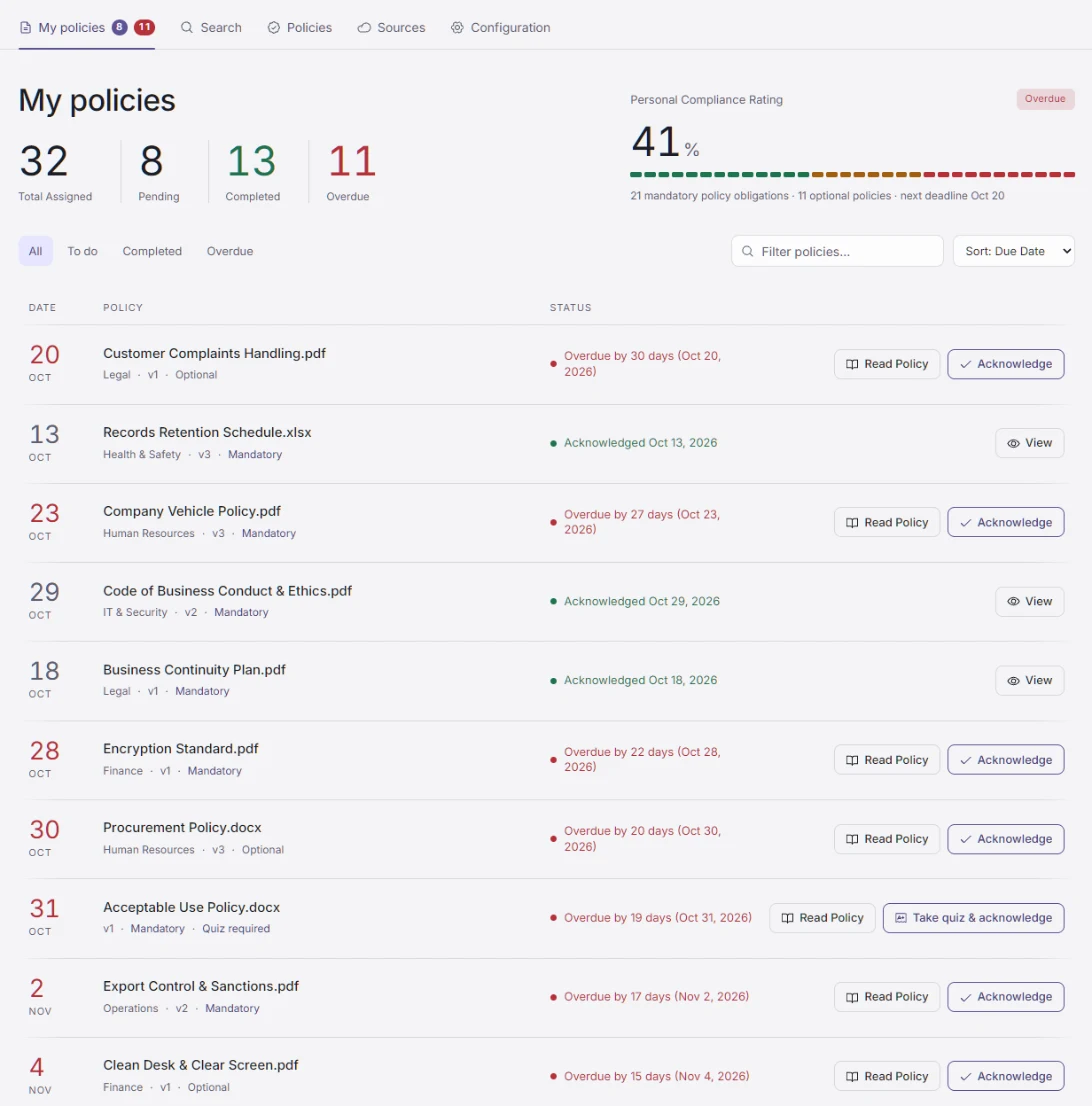
Employees see a simple list of the policies assigned to them, read each one in the app, and acknowledge it.
- The right people, automatically. Assign by Entra group or department, so new joiners get their policies too.
- Read, then attest. Each acknowledgement is recorded against the specific version the person read.
- Prove it was understood. Add a quiz, and even require a pass before anyone can acknowledge.
Policy quizzes
Don’t just prove they read it. Prove they understood it.
A short quiz turns “I’ve read it” into evidence of understanding, for the policies where it matters most.
- Drafted by AI, approved by you. Choose how many questions, the difficulty and any instructions. Nothing goes live until an admin reviews it, or write your own questions.
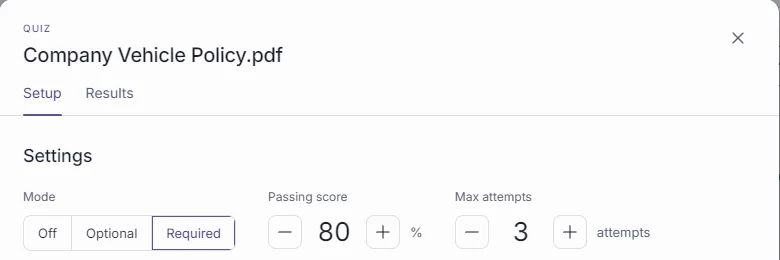
- Required, optional or off. Require a pass before someone can acknowledge, or run it optionally while you pilot.
- Your pass mark, your attempt limit. 80% by default, adjustable per policy, with unlimited or capped attempts.
- Learn as you go. Single choice, multiple choice and true/false questions, with an explanation after each answer.
Policy quiz · Question 2 of 5
You receive an email asking you to reset your password through a link. What should you do?
Illustrative question.
Versioned with the policy
Each quiz belongs to a policy version. A pass on version 7 never counts for version 8.
Every attempt on record
Scores, answers and attempt numbers are kept as part of the compliance record, not just the final result.
Safe to update
When a policy changes, its quiz carries forward and is flagged for review, and a live quiz is never edited mid-attempt.
Workflow automation
Reminders do the chasing.
Once a policy is published, notifications and reminders run on their own, in the Teams activity feed.
Published
The policy goes live to the groups it applies to.
Notified
Employees are alerted in Teams.
Due soon
A reminder before the deadline.
Overdue
A reminder after the deadline.
Approval workflow
Optional: approvers sign off electronically before a policy is published.
Review escalation
An overdue review is escalated to the admin who started it.
Compliance dashboard
Know who hasn’t read it, before the auditor asks.
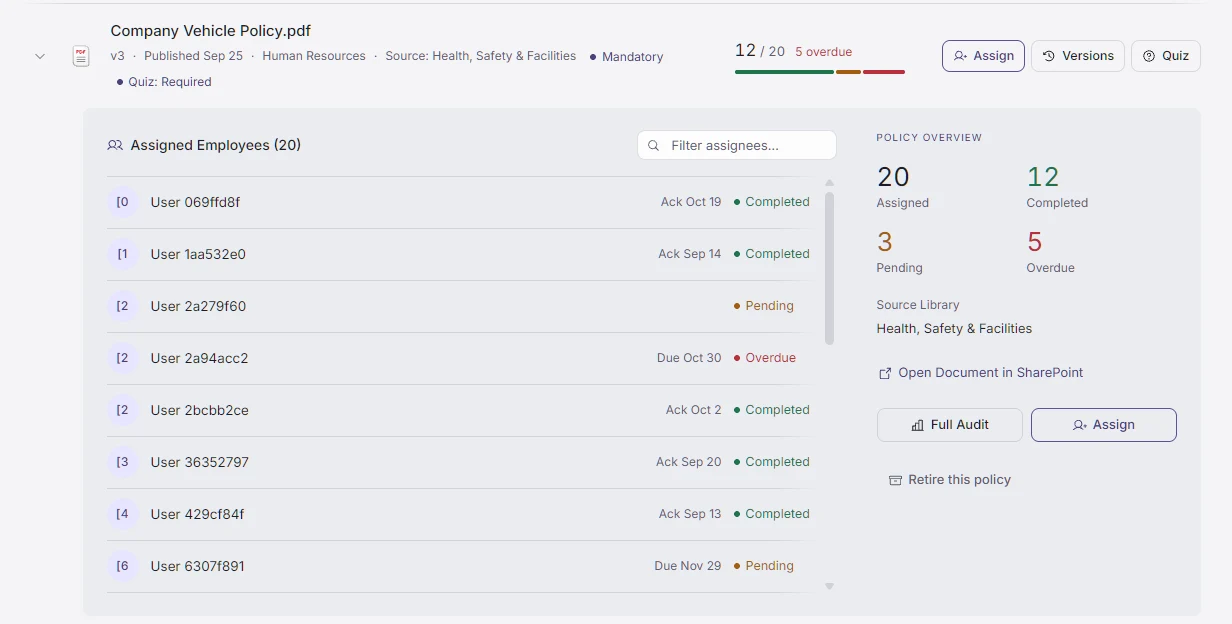
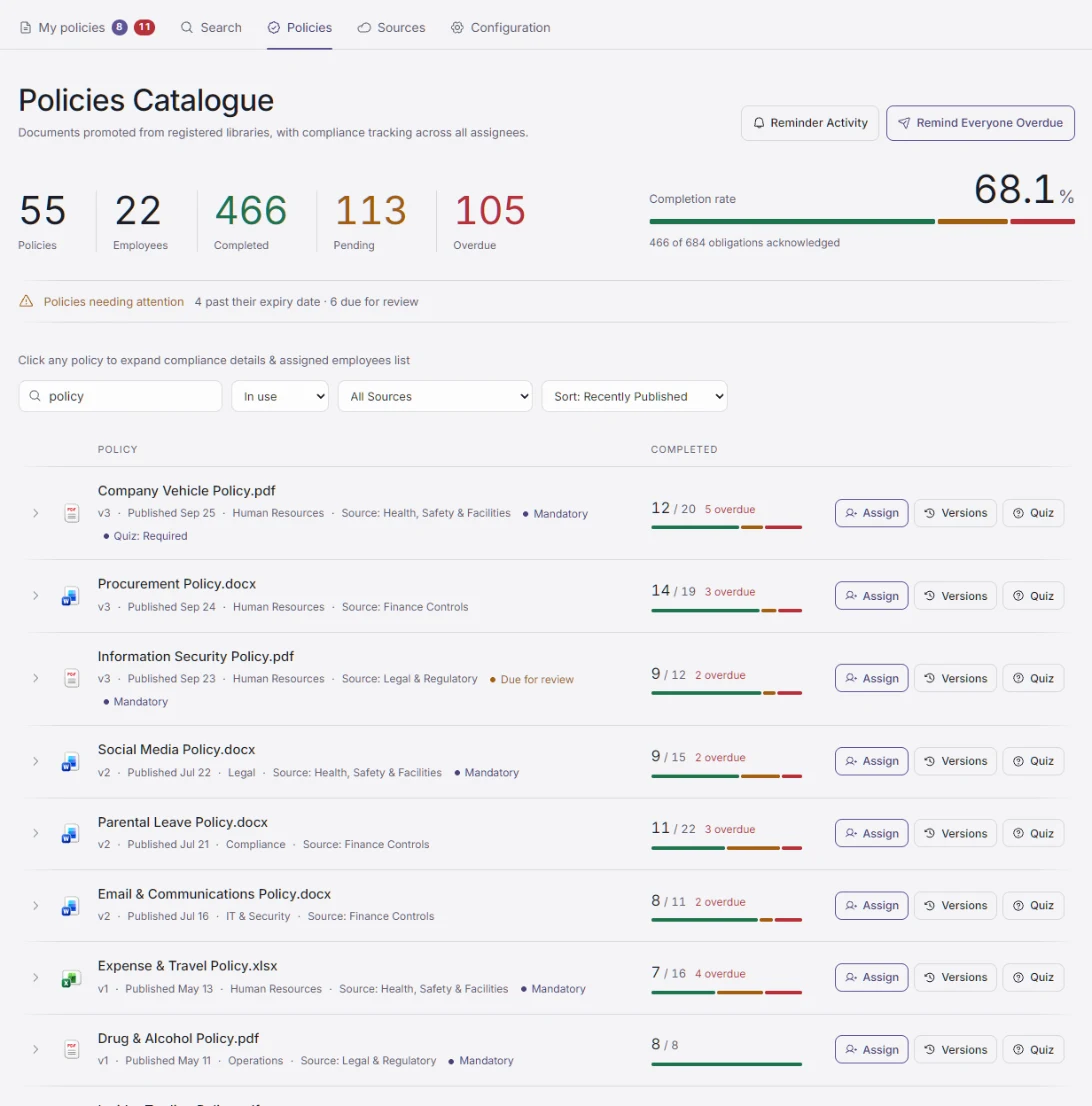
See completion across every policy, who is pending and what is overdue, which policies are due for review, and remind everyone overdue in one click.
Audit & governance
Every step leaves a record.
Version history, approval history and who read what, and when, side by side. Evidence is something you hand over, not something you reconstruct.
| When | Event | By |
|---|---|---|
| 10 Mar 16:40 | Version 2 approved electronically | Head of Legal |
| 12 Mar 09:14 | Version 2 published | Policy owner |
| 12 Mar 09:15 | Assigned to 4 Entra groups (1,216 people) | Upholdly |
| 19 Mar 08:00 | Due-soon reminder sent to 212 people | Upholdly |
| 26 Mar 08:00 | Overdue reminder sent to 17 people | Upholdly |
| 02 Apr 11:32 | 1,204 of 1,216 acknowledged | Dashboard |
Illustrative event log for one policy.
AI policy intelligence · optional
Don’t search the policy. Ask it.
Ask Danny
Upholdly’s policy assistant. Ask in chat or by voice; answers cite your own policies.
Policy Insights
A short summary of a long policy, or two colleagues talking it through.
Read Aloud
Natural neural voices read the policy, block by block.
130+ languages
Summaries and conversations in the reader’s own language.
Off by default. Runs on your own Azure AI resource, under your keys and your data policies.
Microsoft 365 integration
No new portal. No new login.
SharePoint Online
Policies stay in your existing libraries.

Microsoft Teams
A personal app for employees and administrators, with reminders in the activity feed.

Outlook
Read and acknowledge without leaving the inbox.


Word, Excel, PowerPoint
A task pane shows the policy status of the document in front of you.

Microsoft Entra ID
Single sign-on; assignment follows your groups.

Microsoft Graph
Reads documents in place, under your tenant’s permissions.
See it with your own policy.
A 30-minute walkthrough, from draft to signed acknowledgement.